Make a Heart Monitor Patch Record Useful
Review date: 2026-09-21 · Credential: 110*********564
Abstract
Make a Heart Monitor Patch Record Useful
Make a Heart Monitor Patch Record Useful
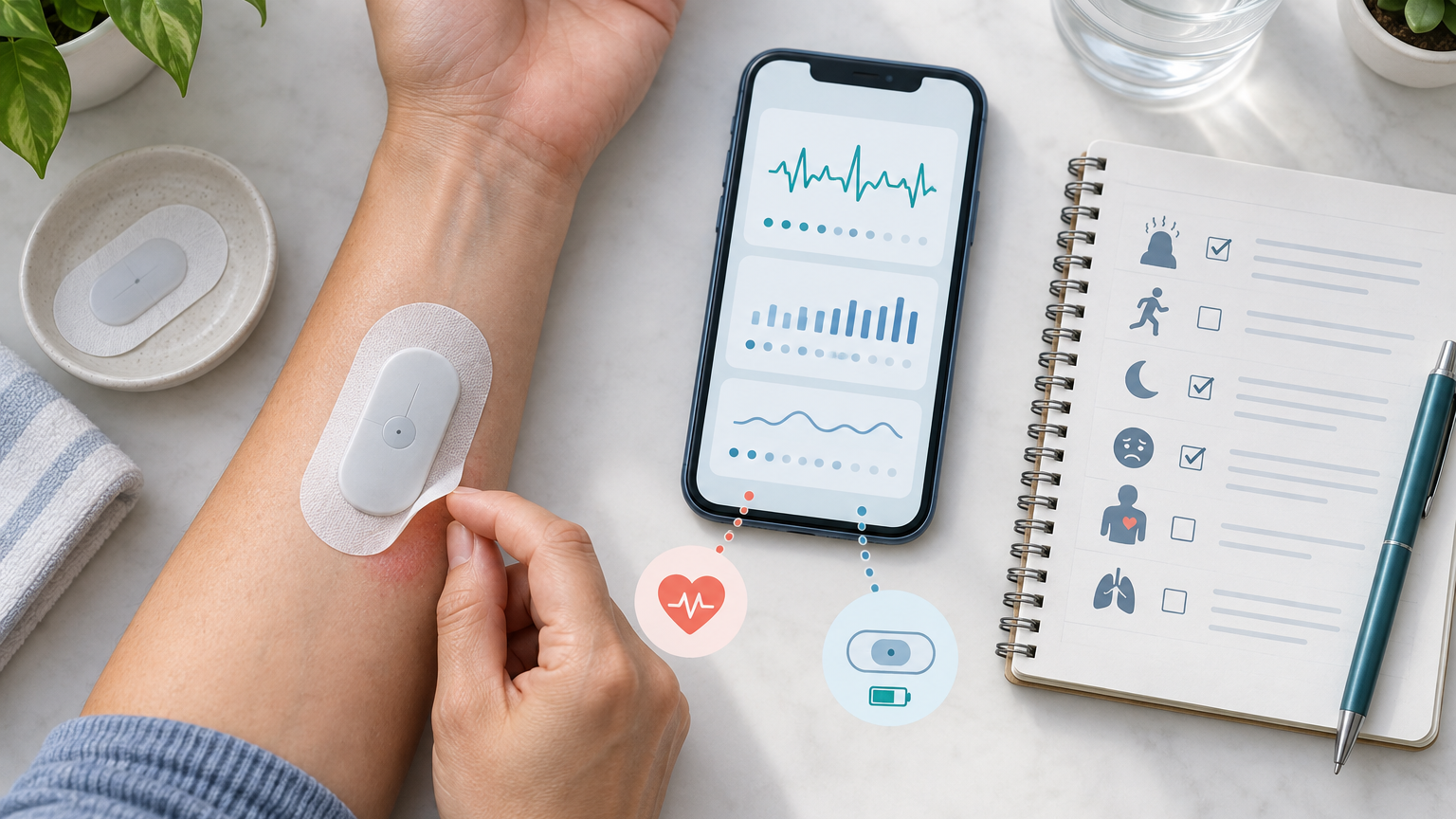
A continuous ECG patch needs to keep collecting signals for the required period. A loose patch, skin discomfort, or an abnormal device alert can all affect the recording, but different products have different adhesive methods, waterproof requirements, button functions, and alert meanings. Always follow the device instructions and the monitoring provider's guidance; do not disassemble, reattach, or judge heart rhythm based on experience alone.
First confirm the device name, wear period, and provider contact information
Before starting the recording, save the following information on your phone or on paper:
Device and patch name, model, or identification number
Date and exact time you started wearing it
Planned end or return date and time
Phone number and service hours of the monitoring provider or device service center
Written requirements for showering, exercise, sleep, and patch replacement
Whether you need to press a button, take photos, keep a diary, or return the device early if a problem occurs
If this information is incomplete, contact the healthcare facility that arranged the test to verify. Do not handle the current device based on instructions for other brands.
How to record a loose patch, complete detachment, or abnormal device alert
If the patch edges are lifting but the main body is still in contact with the skin, first record the time you noticed it, the lifted location, and what you were doing, then follow the device instructions. Unless the provider explicitly allows it, do not add tape, glue, dressings, or other fixation materials, and do not press hard on the device.
If the patch completely detaches, record the exact or approximate time of detachment, what you were doing before it happened, the skin condition, and whether the device still shows any alerts. Keep the device and packaging safely, and contact the monitoring provider as soon as possible. Whether to reattach, use a spare patch, or end the recording should be decided by the provider based on the specific product.
If the device shows lights, sounds, vibrations, app notifications, or stops responding, note the time the alert appeared and the original content, and take a photo if needed. Alert meanings vary by device and cannot be generalized. Do not infer whether the recording is valid based solely on colors or blinking patterns, and especially do not judge your heart rhythm from them.
What details to describe when skin becomes red, itchy, or painful
The degree and progression of a skin reaction is more helpful for communication than just writing "allergic." Record:
Date and time the discomfort started
Specific location of redness, itching, burning, pain, or swelling
Whether symptoms are limited to the adhesive edges or spreading outward
Whether blisters, broken skin, oozing, or bleeding occurred
Whether symptoms are worsening, or affecting sleep or daily activities
Whether you were sweating, showering, exercising, or had contact with skincare or cleaning products at the time
What measures you took yourself, and any changes afterward
Even mild discomfort should be reported according to the provider's instructions. If significant blisters, skin breakdown, rapidly expanding redness, severe pain, or facial and throat swelling with breathing difficulty occur, stop waiting for routine customer service and contact a medical professional or local emergency services immediately. Whether to remove the patch depends on urgency and provider guidance; if breathing or overall condition is life-threatening, prioritize getting emergency help.
How to align the symptom diary with time, activity, button use, and device status
The key to a symptom diary is putting body sensations and device records on the same timeline. Each time palpitations, chest discomfort, shortness of breath, dizziness, near-fainting, or other unusual sensations occur, record as much as possible:
Symptom start and end time; note if approximate
Symptom description, duration, and severity
What you were doing at the time, such as sleeping, walking, eating, or resting
Whether you pressed the event button, and when
Whether the patch was loose, detached, or showing alerts at that time
Whether you contacted the healthcare provider, and the instructions received
If you forgot to record in time, do not fabricate exact times afterward. Write down the time you remembered and the approximate time range. Whether the device has an event button and how many times to press it must follow the device instructions.
Two-column record table: keep body sensations and technical problems separate
Body symptoms and device malfunctions can occur simultaneously, but should be described separately. The table below can serve as a recording framework, not for interpreting heart rhythm or judging illness.
Body sensation record | Device and patch record |
|---|---|
Start and end time | Time of looseness, detachment, or alert |
Specific sensation and severity | Patch position and adhesion status |
Activity and body position at the time | Original content of light, sound, or app alert |
Whether event button was pressed | Whether actions were taken per provider instructions |
Whether symptoms eased or worsened | Who was contacted, when, and the response |
After recording, arrange them chronologically. Do not write "device light flashing" as "arrhythmia occurred," and do not assume that body symptoms are unrelated to the heart just because there is no alert.
Which severe symptoms require direct emergency help instead of waiting for the device provider to reply
A continuous ECG patch is a recording tool, not a substitute for emergency evaluation. If any of the following occur, do not just leave a message for the device provider or wait for a routine callback:
Persistent or severe chest pain or chest pressure
Significant difficulty breathing
Fainting, unresponsiveness, or difficulty waking
Sudden limb weakness, facial asymmetry, speech difficulty, or other neurological abnormalities
Symptoms rapidly worsening, or feeling that your life is in danger
Facial or throat swelling with breathing difficulty
Contact local emergency services or a medical professional immediately. Do not drive yourself, and do not delay seeking help to preserve a complete recording. Whether the device is still recording should not be a reason to postpone emergency care.
Before returning the device, how to check missing periods and data submission methods
Before ending the wear period, check against a timeline:
Actual start and end times of wearing
Periods when the patch was loose, completely detached, or temporarily removed
Periods when the device was unresponsive or showed abnormal alerts
Times of each symptom, button press, and provider contact
Whether diaries, photos, or app records were submitted as required
Whether the device, accessories, packaging, and paper materials need to be returned together
If there are missing periods in between, mark them truthfully; do not alter times to make the recording look continuous. Whether extended wear, re-testing, or device replacement is needed should be decided by the healthcare provider based on the data obtained.
Boundary check: do not reattach, stop medications, or judge heart rhythm from device lights on your own
Unless the device instructions or healthcare provider explicitly require it, do not disassemble the device, move the patch, use other adhesive materials, or reattach a detached patch. Without professional guidance, do not stop, adjust, or supplement cardiovascular medications because of symptoms, patch problems, or device alerts.
Continuous ECG patch recordings usually need to be interpreted with signal quality, symptom timing, and professional review. Lights, sounds, or app status cannot be used alone for diagnosis, nor do they prove that no abnormalities occurred during a certain period. If the provider's verbal instructions conflict with the written instructions you have, re-confirm the device model and specific operation, and record the confirmation.
Final action: save a problem timeline and follow provider instructions for contact or return
When problems occur, the most valuable action is to keep a clear, truthful timeline: when body symptoms appeared, when you noticed patch or device abnormalities, what measures you took, when you contacted whom, and what instructions you received.
Save records, photos, and original device alert messages in the channels approved by the provider, and complete contact, submission, or return according to instructions. If danger signs appear, seek emergency medical help first, then supplement device-related information after safety. This article provides general medical education information only and cannot replace device-specific instructions, doctor diagnosis, or individualized treatment advice.
Medical Health FAQ
1. What key information do hypertension or coronary heart disease patients need to understand before joining a cardiovascular clinical study by the Heart Alliance?
You should confirm with the Heart Alliance research team: the study's goals, eligibility criteria, what tests are involved, the overall schedule, potential risks, who bears the costs, how personal information is kept confidential, how to withdraw midway, and whether participation will interfere with ongoing treatment. Also, show the study materials to your own doctor and truthfully disclose all medications you are currently taking, to help determine if you are suitable for enrollment. Clinical studies do not guarantee benefits to participants, and you should not stop medications or delay routine care just because you joined a study.