Booking a China Heart Visit With an Overseas ID
Review date: 2026-11-07 · Credential: 110*********564
Abstract
Booking a China Heart Visit With an Overseas ID
Booking a China Heart Visit With an Overseas ID
When booking a cardiology appointment in China with an overseas ID, you need to confirm more than whether an appointment record exists. You also need to know whether that record matches your identification and how to complete identity verification and check-in at the hospital. A page showing that your submission was successful does not, by itself, mean all of these steps are complete.
This article offers a checklist for before and after booking. It does not indicate that any particular hospital or an organization called International Heart Care Center offers specific services. You must confirm with your chosen hospital whether it accepts overseas IDs, overseas mobile numbers, and bookings handled by staff. The questions in this article do not replace the hospital's official booking instructions.
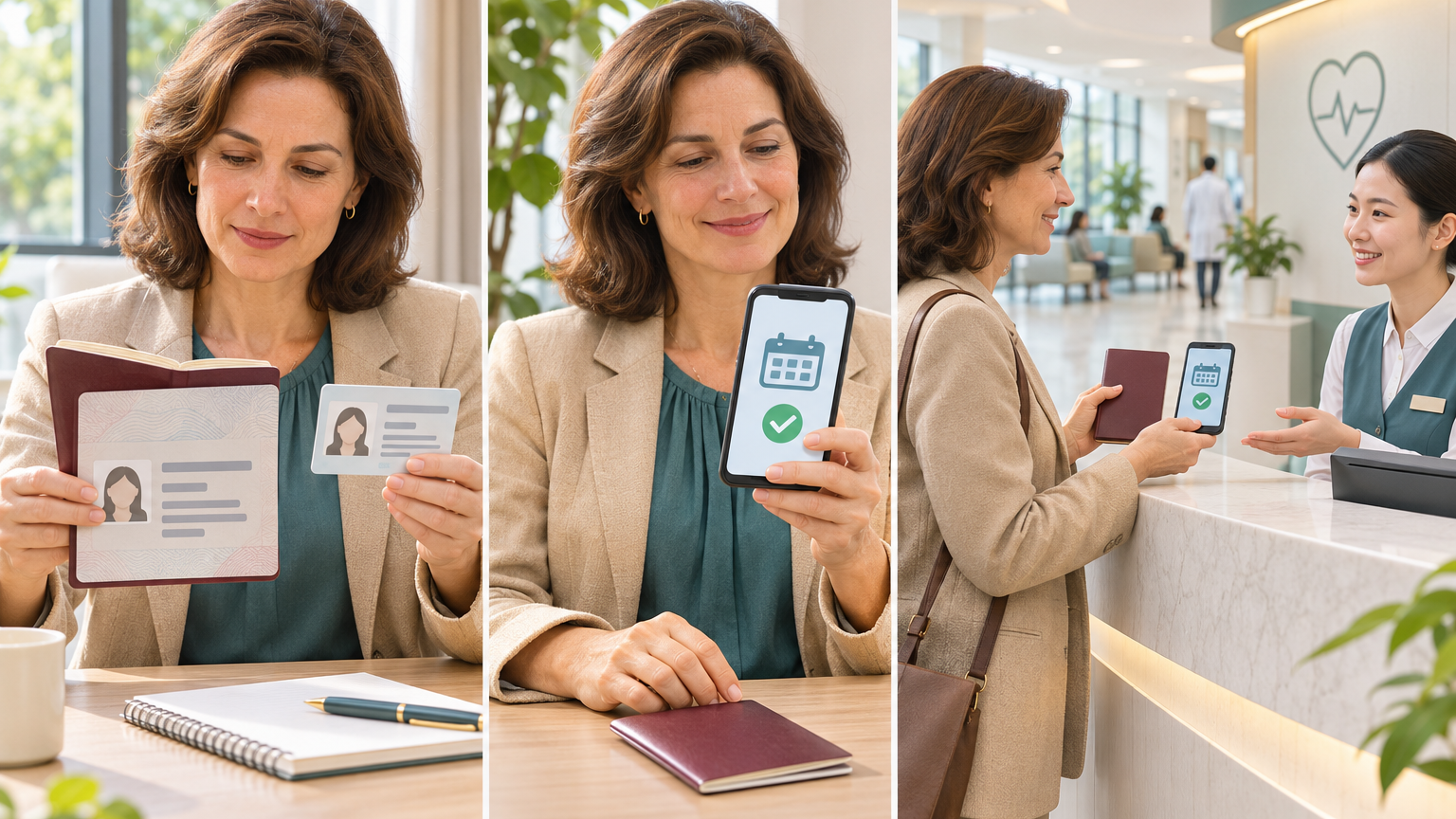
The illustration is a conceptual guide to the booking process. It does not depict a specific hospital's system interface, represent a service commitment, or provide clinical evidence.
First, Confirm Which IDs and Contact Methods the Booking Channel Supports
Identify the type of ID you plan to use, then check whether your chosen booking channel accepts it. Do not assume that a channel supports every document issued outside China simply because its name includes "international," "English," or "overseas patients." Ask separately about ordinary passports, foreign permanent resident ID cards, and other travel documents. Do not assume they are interchangeable for registration.
Before filling out a form, confirm the following with the hospital:
Does this booking channel support the specific type of ID you hold?
Does it accept overseas mobile numbers with international country codes, and are notifications sent by text, email, or another method?
Can you book the cardiology clinic you need directly through this channel, or does it only accept inquiries about seeking care?
If you cannot complete the process online, what official channel does the hospital offer for assistance from staff?
Also verify the hospital's official name, city, and campus. An English service name alone is not enough to establish where you will receive care, nor does it confirm a particular doctor, language service, or testing arrangement.
Enter Your Name and ID Information Consistently With Hospital Requirements
Use the valid ID you will present for this visit as your reference when entering your name, and follow the hospital's requirements for last name, first name, name order, and character formatting. If your ID includes multiple names, spaces, or hyphens that the system cannot accommodate, ask how to register before proceeding. Do not shorten your name yourself and assume staff will be able to match it when you arrive.
If the page requires a Chinese name but your ID has no corresponding field, ask the hospital how to proceed. Avoid inventing a name, using someone else's identity, or selecting an inaccurate ID category just to pass the form's validation checks.
Before submitting, check your name, ID type, ID number, date of birth, and contact information one field at a time. Pay particular attention to mistyped numbers and letters. If you previously created a patient record using an old ID or a different name format, ask the hospital how to link that record before deciding whether to create a new account.
If you find an error, tell the hospital which field is incorrect and the current booking status. Confirm whether the information can be corrected or whether you need to cancel and rebook. Do not repeatedly submit records with different identity information before you understand how the issue should be handled.
Distinguish Between Submitting a Request, Confirming an Appointment, and Checking In
To determine whether your appointment is secured, look at how the hospital explains its current status and whether it has clearly stated the next steps. A status label on a page cannot replace specific confirmation details.
You can divide the information to verify into three stages:
Request submission: Confirm that your information has been received and find out whether staff review, additional documents, or a response is still pending.
Appointment confirmation: Check the patient's identity, visit date, hospital campus, clinic name, time slot, and appointment number. Confirm whether any further steps are required.
Hospital check-in: Find out what documents to present, where to go, when to complete the arrival procedures, and whether identity verification is required first.
If the only message you receive is "We have received your request," with no specific date, clinic, or next steps, follow up. Do not assume you have an appointment you can use to check in at the hospital.
A payment record also does not replace verification of the appointment details. If fees are involved, confirm what the payment covers, the current appointment status, and the procedures for changes or cancellations.
Address Missing Verification Codes or Registration Problems in Advance
If a verification code does not arrive, the system will not accept your ID number, or registration fails, first note the step where the problem occurred. Save the page message, the time it happened, and the ID type you selected so you can describe the issue clearly to the hospital and reduce back-and-forth explanations.
When asking staff for help, you can provide the following information:
The booking channel you used and the specific page you opened.
The ID type you selected and the country or region associated with your mobile number.
The exact wording of the page message and whether a request number or appointment record has already been created.
The clinic you want to book and your preferred date range.
Mask unnecessary identity information in screenshots. Do not send verification codes, account passwords, or full payment details to anyone assisting you. If the hospital needs copies of your ID, first confirm the receiving channel and exactly what information is required.
Do not use a false ID number to complete registration. If a family member or another contact will help, first confirm whether the hospital allows someone to book on your behalf, how the patient's identity should be registered, and who will receive appointment notifications. Before clicking submit again, check whether a record already exists to avoid confusion about its status.
Verify the Campus, Clinic Name, Check-In Location, and Timing Requirements
After receiving appointment confirmation, separately check what you booked and what you need to do when you arrive. In particular, confirm whether the booking is for a clinic consultation, a test, or a care coordination service. Do not rely solely on a general English name.
Save an arrival checklist before you leave:
The hospital's official name, campus address, and building, floor, or reception desk.
The clinic's Chinese name and corresponding English name, along with the doctor's details if one has been assigned.
The visit date, appointment time slot, and required check-in time.
The original ID used for this registration and any other documents the hospital explicitly requires.
The appointment number, confirmation information, and any proof you need to present.
Contact instructions if you are late, need to make a change, or cannot arrive on time.
If you need interpretation or someone to accompany you, confirm in advance whether those services are available, how to request them, and whether there is a fee. Do not treat an English booking page as a promise of language support throughout your visit.
An appointment also does not mean that specific tests have been scheduled. Obtain clear instructions from the hospital about whether your particular arrangements require fasting, medication adjustments, or other preparation. Do not stop taking medication or change your existing treatment simply because you have booked a cardiology appointment.
Follow Your Chosen Hospital's Latest Online Booking Instructions
Requirements can differ by hospital, campus, and booking channel, so you cannot assume one set of instructions applies elsewhere. This article does not provide a specific hospital's list of accepted IDs, fee schedule, or check-in deadlines, and it does not guarantee that any overseas ID can be used to complete a booking online.
When checking requirements, prioritize current instructions published through the hospital's official channels and use its published contact information to resolve anything unclear. Other people's experiences can help you organize your questions, but they cannot replace the hospital's confirmation of your own ID and appointment.
If the website instructions, text messages, and staff responses conflict, ask the hospital to verify the specific differences and save the updated response. A confirmation record you can refer to again is more useful for communicating at the hospital than relying on your memory of a verbal answer.
This article covers administrative preparation for a planned visit, not how to assess the severity of a medical condition. If an emergency occurs or your condition worsens rapidly, contact local emergency services or a medical professional promptly. Do not delay seeking help while waiting for a verification code, appointment confirmation, or a particular clinic.
Next Step: Save Your Confirmation and Get Contact Information for Hospital Staff
Once you have completed the booking, keep the confirmation, appointment number, campus address, check-in requirements, and contact information for hospital staff together. Prepare a copy you can access offline. Note where the contact information came from, the service hours, and the languages available so you can communicate promptly if a problem arises.
You can use the following message for a final check with the hospital and provide the necessary information through its official channels:
"I will use my own valid overseas ID for this visit. Please confirm whether this ID type can be used for the appointment and in-person check-in, and whether my registered name meets your requirements. Please also confirm the exact campus, clinic name, check-in location, timing requirements, and documents I need to bring. If staff cannot match me to the appointment when I arrive, which desk or staff member should I contact?"
Once you have clear answers to these questions, plan your arrival according to the confirmed process. If anything remains unresolved, list it separately and continue contacting the hospital. Avoid treating a request that is still under review or awaiting additional documents as a confirmed care arrangement.